
PHLPost Tracking – Track and Trace Parcel
Enter your PHLPost tracking number to check the latest delivery status of your parcel, mail item, package, order, shipment, or consignment.
PHLPost Important Details
Use Couriers Tracker to track your PHLPost parcel, package, shipment, mail item, order, courier, consignment, or delivery status online. Enter your PHLPost tracking number or reference number in the tracking box and check the latest available shipment update.

Couriers Tracker is an independent parcel tracking tool. It is not the official PHLPost website and does not claim to be officially affiliated with PHLPost. The goal of this page is to help users track PHLPost deliveries quickly and understand common tracking updates, delays, and support options.
About PHLPost
PHLPost (PhilPost), also known as the Philippine Postal Corporation, is the national postal operator of the Philippines. It handles domestic and international mail services, parcels, registered mail, EMS, e-packets, postal items, and other delivery services through its postal network.
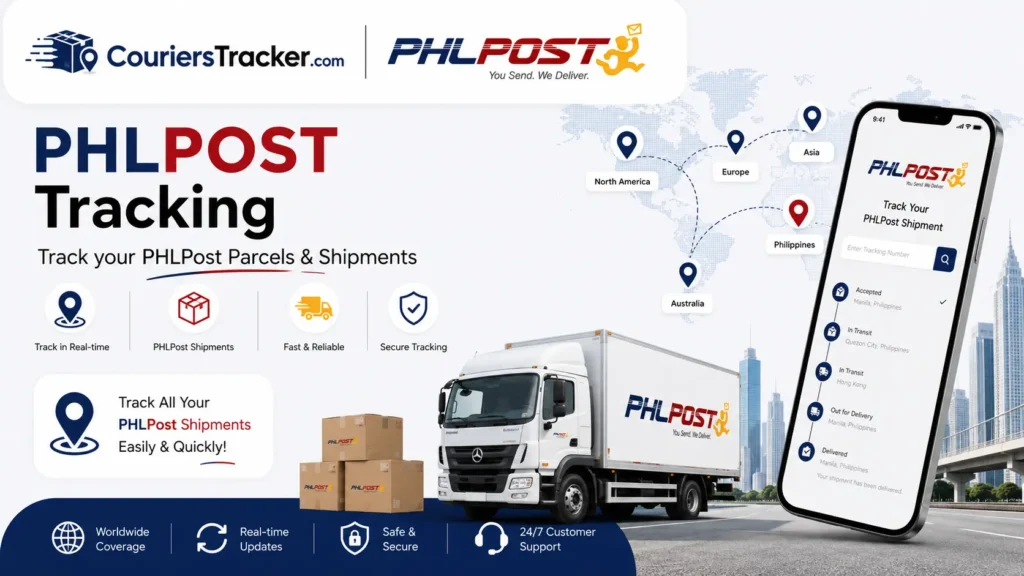
PHLPost is commonly used for local mail delivery, international parcel handling, registered documents, eCommerce shipments, and government-related deliveries such as physical National ID or PhilSys card delivery where applicable. Tracking availability depends on the service used and the tracking or reference number provided at the time of mailing.
Because PHLPost is a postal operator, tracking updates may sometimes appear differently from private courier services. Some shipments update at every major postal scan, while others may show fewer tracking events during transit, customs clearance, or local post office processing.
What Can You Track with PHLPost?
You may be able to track different types of PHLPost items, including:
- Domestic mail and parcels
- International mail and parcels
- Registered Mail
- EMS items
- Parcel Post shipments
- e-packets or ePacket-style postal shipments
- Tracked mail items
- Online shopping orders shipped through PHLPost
- National ID or PhilSys-related delivery items where a valid delivery reference is provided
Tracking usually requires a valid PHLPost tracking number, reference number, transaction number, or delivery code. If your item was sent as ordinary mail without tracking, detailed shipment updates may not be available.
How to Track a PHLPost Package
To track your PHLPost package on courierstracker.com:
- Find your PHLPost tracking number or reference number.
- Enter the number in the tracking box.
- Click the tracking button.
- Review the latest shipment status, event date, and location details if available.
- Check the item history to understand the movement of your parcel.
Make sure you enter the tracking number exactly as provided. Avoid extra spaces, missing letters, incorrect digits, or typing mistakes. If the shipment was posted recently, tracking may not appear immediately because the first scan may take time to enter the system.

Where to Find Your PHLPost Tracking Number
Your PHLPost tracking number may appear in different places depending on how the item was sent.
| Shipment Type | Where to Find the Tracking Number | Notes |
|---|---|---|
| Post office shipment | Mailing receipt or transaction slip | Ask the sender if you are the recipient |
| EMS item | EMS receipt or shipping label | Usually includes a trackable postal item number |
| Registered Mail | Registered mail receipt | Used for documents or important mail |
| Online order | Seller message, email, SMS, or order page | Contact the seller if the number is missing |
| International parcel | Sender’s postal receipt or marketplace tracking page | Updates may depend on both origin and destination postal systems |
| National ID / PhilSys delivery | TRN, delivery reference, or official delivery notice if provided | Use only the reference issued for that delivery |
If you cannot find your tracking number, contact the sender, seller, marketplace, or issuing office. Courierstracker.com cannot create or recover a PHLPost tracking number if one was not provided.
PHLPost Tracking Number Format
Many PHLPost international, registered, and postal tracking numbers follow a 13-character format. A common format is:
Two letters + nine numbers + PH
Example style:
RR123456789PH
However, not every PHLPost reference number follows the same pattern. Some services, transaction references, or National ID delivery references may use a different format. If your number does not end in “PH,” it may still be valid if it was issued by PHLPost, a sender, or an official delivery process.
When entering your number, use the exact code shown on your receipt, shipping label, seller confirmation, or delivery notice.
PHLPost Tracking Status Meanings & Common Issues
PHLPost tracking updates show where your item is in the delivery process. The wording may vary depending on the shipment type, route, postal facility, or international handover.
| Tracking Status | What It Means | What You Should Do |
|---|---|---|
| Not Found | No tracking record is available yet, or the number may be incorrect | Recheck the number and try again later |
| Accepted / Posted | The item has been received by PHLPost or accepted into the postal system | Wait for the next scan |
| In Transit | The parcel is moving between postal facilities or delivery stages | Continue checking for updates |
| Arrived at Facility | The item reached a sorting center, exchange office, or local handling facility | Wait for processing or dispatch |
| Held by Customs | The parcel is under customs review or clearance | Watch for notices or contact the relevant post office if needed |
| Out for Delivery | The item is with delivery personnel for delivery attempt | Keep the recipient available at the address |
| Delivery Attempted | Delivery was attempted but could not be completed | Check for notice, contact the post office, or prepare for pickup |
| Delivered | The item has been marked as delivered | Check with the recipient, household, office, mailbox, or building security |
| Returned to Sender | The parcel is being returned because delivery could not be completed | Contact the sender or PHLPost for next steps |
Why Your PHLPost Tracking Is Not Updating
PHLPost tracking may not update for several reasons. A delay in tracking updates does not always mean the parcel is lost.
Common reasons include:
- The parcel was recently posted and has not received its first scan.
- The shipment is moving between postal facilities.
- The item is waiting for customs clearance.
- The parcel is being processed by a local post office.
- Tracking scans are delayed during weekends or holidays.
- The destination is in a remote or provincial delivery area.
- The shipment is being handed over between international postal networks.
- The tracking number was entered incorrectly.
If the tracking status has not changed for several days, check the last event date and shipment location. For international parcels, long gaps can happen during customs clearance, airline transit, or handover between postal operators.
What to Do If Your PHLPost Package Is Delayed
If your PHLPost parcel appears delayed, follow these steps:
- Check the latest tracking event and event date.
- Confirm that the tracking number is correct.
- Check whether the shipment is domestic or international.
- Allow extra time for customs, holidays, remote delivery areas, or local post office processing.
- Contact the sender or seller if the item is from an online order.
- Contact PHLPost support if the delay is unusual or the tracking has stopped for a long period.
- Visit your local post office if the parcel may be ready for pickup or claim.
For eCommerce orders, the seller may have more details about the dispatch date, service type, declared address, and shipping route.
Delivered But Not Received
If PHLPost tracking says Delivered but you have not received the parcel, check carefully before opening a complaint.
Try these steps:
- Ask household members, office staff, reception, or building security.
- Check your mailbox, parcel area, guard desk, or delivery counter.
- Confirm that the delivery address is correct.
- Look for a delivery notice or claim slip.
- Ask the sender if the recipient name or address was entered correctly.
- Contact your local post office with the tracking number.
- Prepare a valid ID if you need to claim the item in person.
If the parcel was purchased online, also contact the seller or marketplace. They may need to file a shipping inquiry from the sender side.
PHLPost National ID / PhilSys Tracking
Some users search for PHLPost tracking because they want to check the delivery status of a physical National ID or PhilSys card. If you were given a valid TRN, delivery reference, or tracking code, you may use it to check delivery movement through the PHLPost tracking system.
For delivery movement, failed delivery attempts, or local post office handling, PHLPost tracking may help. For registration details, demographic corrections, identity record issues, or PhilSys account concerns, users should follow the appropriate PSA or PhilSys support process.
If your National ID delivery status is unclear, keep your reference number ready and check whether the item may require local post office assistance.
PHLPost Pickup, Claim, and Post Office Help
Some PHLPost items may require pickup or claim at a local post office, especially if delivery was attempted, the recipient was unavailable, the address was incomplete, or the item needs additional handling.
You may need to visit a post office if tracking shows:
- Delivery attempted
- Addressee not available
- Ready for pickup
- Held locally
- Returned to sender
- Customs or payment-related notice
- No movement after arrival at a local facility
Before visiting, prepare:
- Tracking number or reference number
- Recipient name
- Delivery address
- Valid government-issued ID
- Authorization letter if claiming for another person
- Proof of purchase or shipping details if available
Local requirements may vary, so it is best to contact the post office first when possible.
How to Contact PHLPost Support
If tracking does not resolve your issue, you may contact PHLPost directly through its official support channels.
PHLPost general concerns:
| Support Channel | Details |
|---|---|
| Phone | (02) 8288-POST / (02) 8288-7678 |
| phlpostcares@phlpost.gov.ph | |
| Working Days | Monday to Friday |
| Working Hours | 8:00 AM to 5:00 PM |
Common PHLPost Tracking Problems and Next Steps
| Problem | Likely Reason | Next Step |
|---|---|---|
| Tracking number not found | First scan not available, wrong number, or unsupported reference | Recheck the number and try again later |
| Tracking not updating | Transit gap, customs delay, local processing, or delayed scan | Check the last event date and wait for the next update |
| Parcel delayed | Customs, holidays, remote area, service type, or address issue | Contact the sender or PHLPost if delay is unusual |
| Held by customs | Item is under inspection or clearance | Watch for notices and prepare documents if required |
| Delivered but not received | Received by another person, left at office/security, or scan issue | Check nearby delivery points and contact the local post office |
| Returned to sender | Delivery failed, address issue, unclaimed item, or recipient unavailable | Contact the sender and ask about reshipment or refund options |
PHLPost Tracking FAQs
How do I track my PHLPost package?
Enter your PHLPost tracking number or reference number in the tracking box on courierstracker.com. The tracker will show the latest available delivery status, shipment progress, and tracking events if available.
Where can I find my PHLPost tracking number?
You can usually find it on the mailing receipt, EMS receipt, registered mail slip, shipping label, seller confirmation, order page, email, SMS, or delivery notice. For National ID or PhilSys delivery, use the official reference or delivery code provided to you.
Can I track PHLPost without a tracking number?
Usually, no. You need a valid tracking number, reference number, or delivery code to check PHLPost tracking. If you do not have one, ask the sender, seller, or issuing office.
What does “Not Found” mean in PHLPost tracking?
“Not Found” usually means the tracking number has no available record yet. This can happen if the item was recently posted, the number was typed incorrectly, or the reference number is not supported for online tracking.
Why is my PHLPost tracking not updating?
Tracking may stop updating while the parcel is in transit, waiting for customs clearance, moving between facilities, or being processed by a local post office. Weekend, holiday, and remote-area delays may also affect updates.
What does “In Transit” mean on PHLPost tracking?
“In Transit” means the item is moving through the postal network. It may be traveling between sorting centers, exchange offices, customs facilities, or local delivery offices.
What does “Out for Delivery” mean?
“Out for Delivery” means the parcel is with delivery personnel and may be delivered soon. Make sure someone is available at the delivery address.
What does “Held by Customs” mean?
“Held by Customs” means the parcel is being reviewed by customs authorities. The item may need inspection, documentation, payment of duties or taxes, or clearance before delivery continues.
What should I do if my PHLPost package is delayed?
Check the last tracking event and confirm the number is correct. If the delay is long or unusual, contact the sender first for shipment details, then contact PHLPost with your tracking number and delivery information.
Can I track my National ID through PHLPost?
If you have a valid National ID, PhilSys, TRN, or delivery reference connected to PHLPost delivery, you may use it to check delivery status. For identity registration or PSA record concerns, use the proper PSA or PhilSys support channel.
What should I do if PHLPost says delivered but I did not receive the parcel?
Check with household members, office reception, building security, mailbox areas, and nearby delivery points. If you still cannot find it, contact your local post office or PHLPost support with your tracking number.
Is courierstracker.com the official PHLPost website?
No. Courierstracker.com is an independent courier tracking tool. It is not the official PHLPost website and is not officially affiliated with PHLPost.